Configurer PayPal
- Connectez-vous à PayPal et ouvrez Profil et paramètres.
- Sélectionnez Solutions de paiement pour site web.
- Modifiez la Notification instantanée de paiement.
- Ouvrez ses paramètres.
- Dans Appointmind, ouvrez Configuration / Configuration générale / Paiements.
- Activez PayPal dans Options de paiement.
- Saisissez votre adresse e-mail PayPal.
- Copiez l'URL de notification.
- Collez l'URL de notification dans PayPal.
- Activez Recevoir la notification instantanée de paiement.
- Enregistrez dans PayPal.
- Enregistrez dans Appointmind.
Captures d'écran
Connectez-vous à PayPal et ouvrez Profil et paramètres
1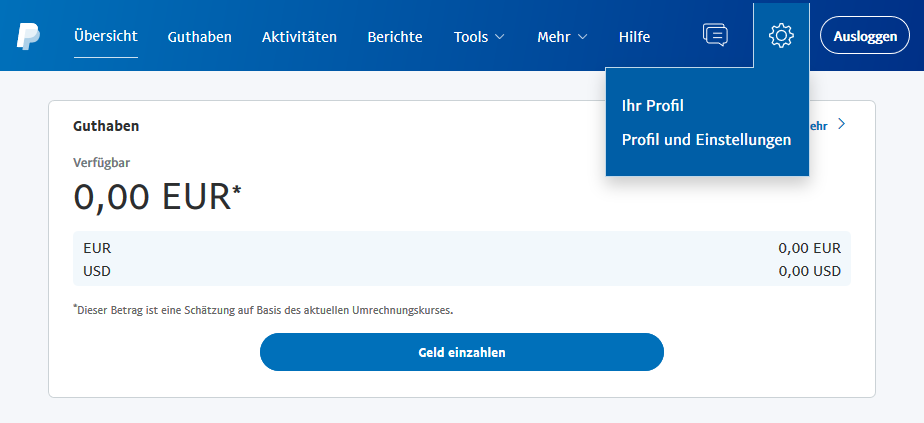
Sélectionnez Solutions de paiement pour site web
2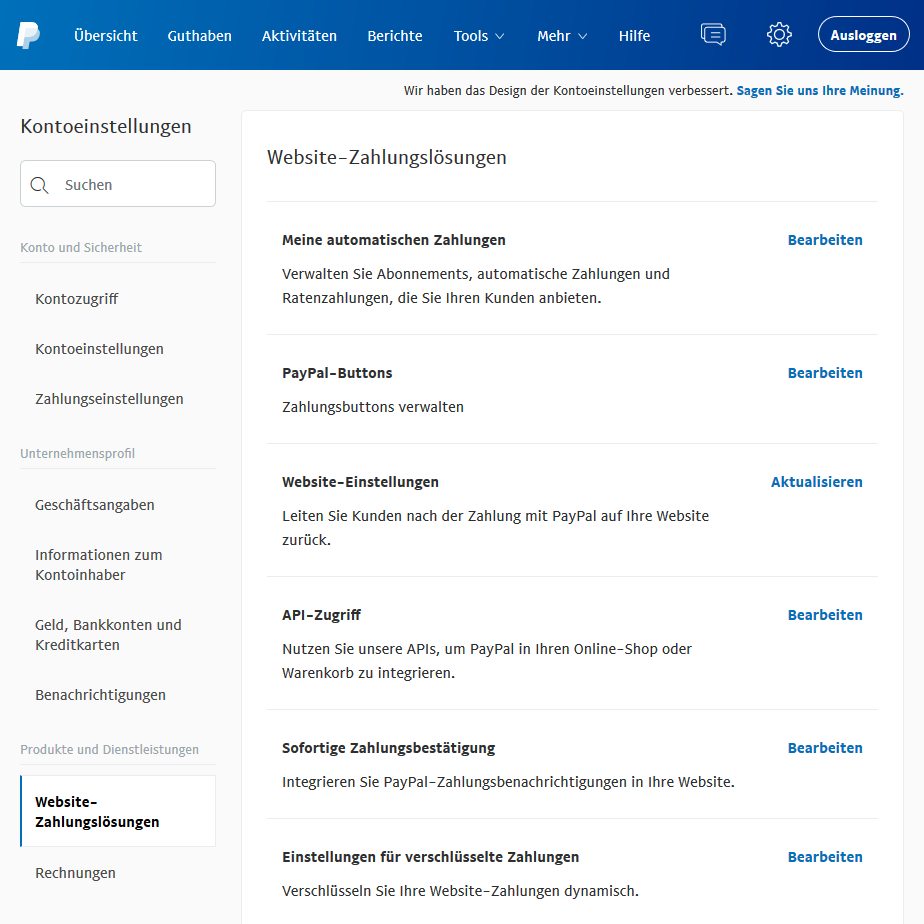
Modifiez la Notification instantanée de paiement
3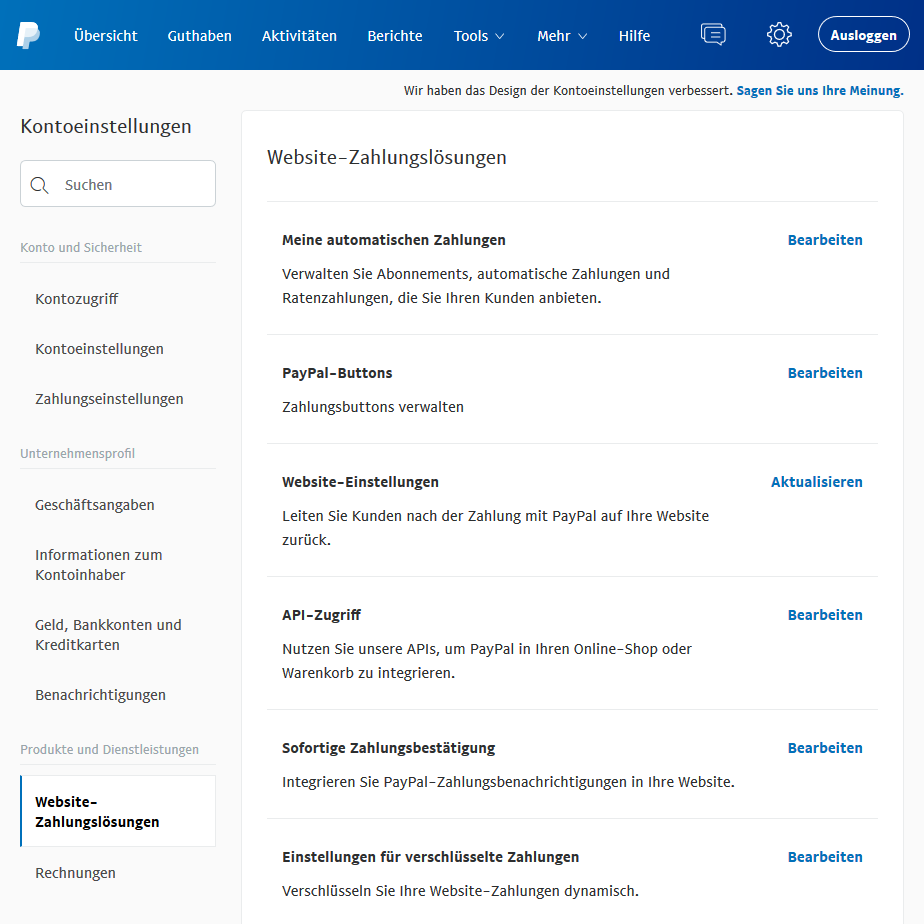
Ouvrez ses paramètres
4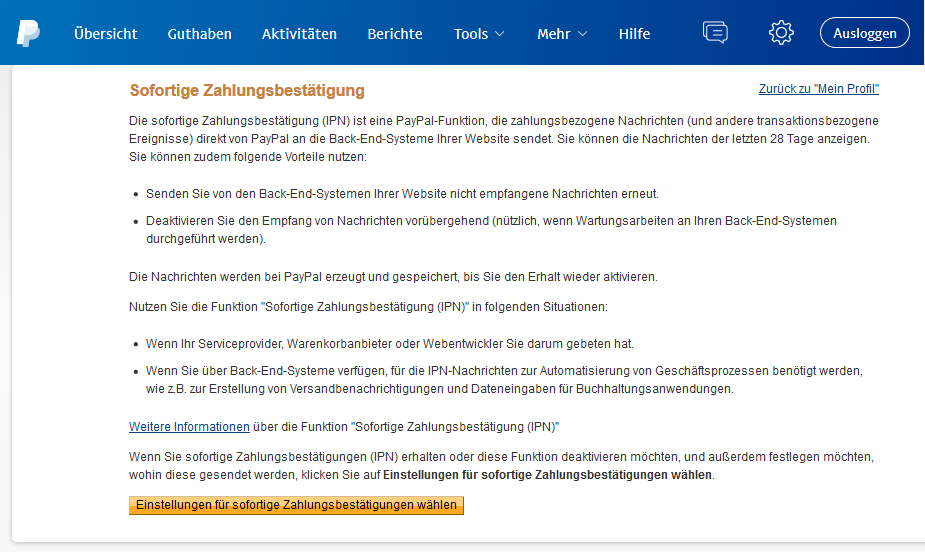
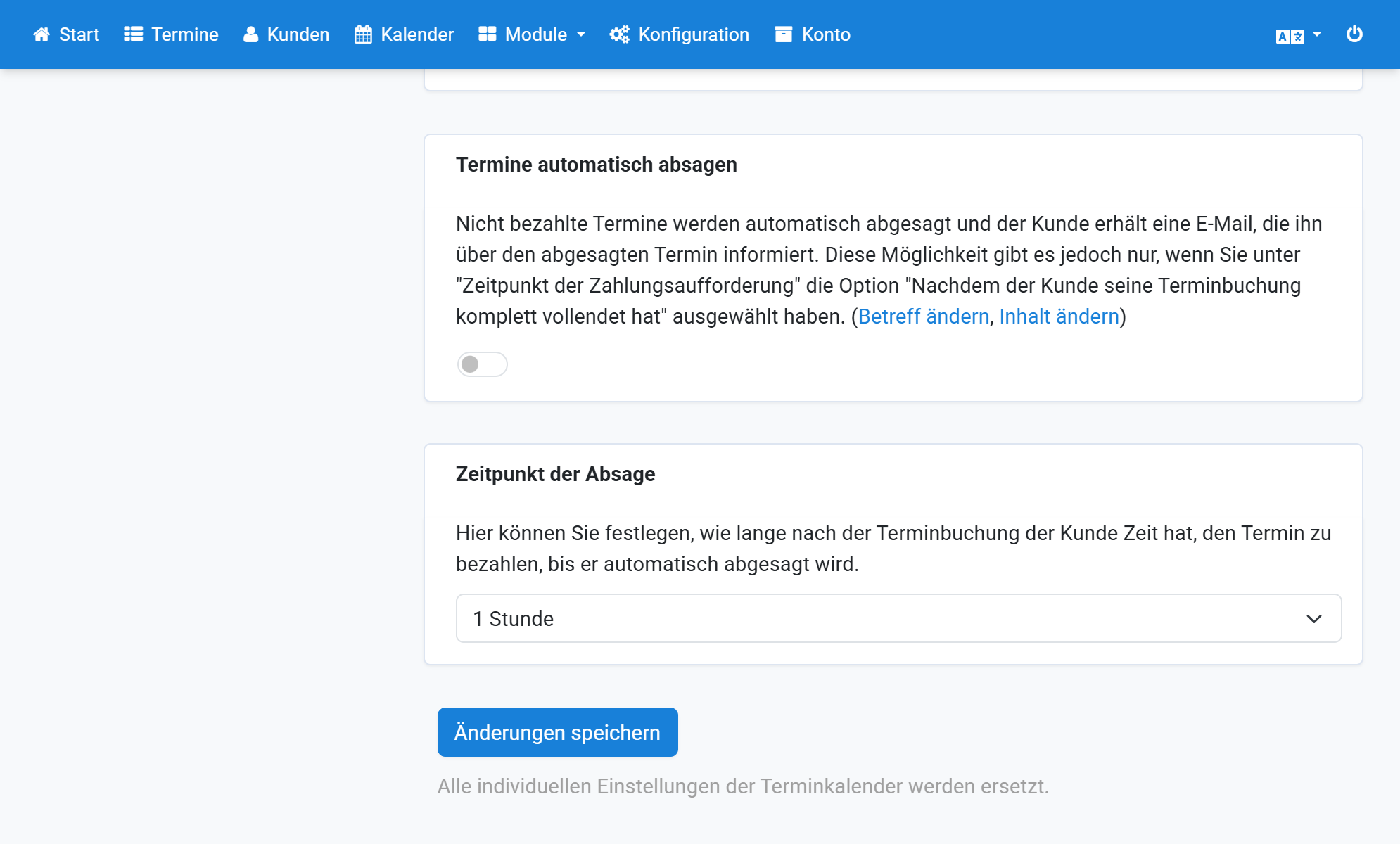
Dans Appointmind, ouvrez Configuration / Configuration générale / Paiements
5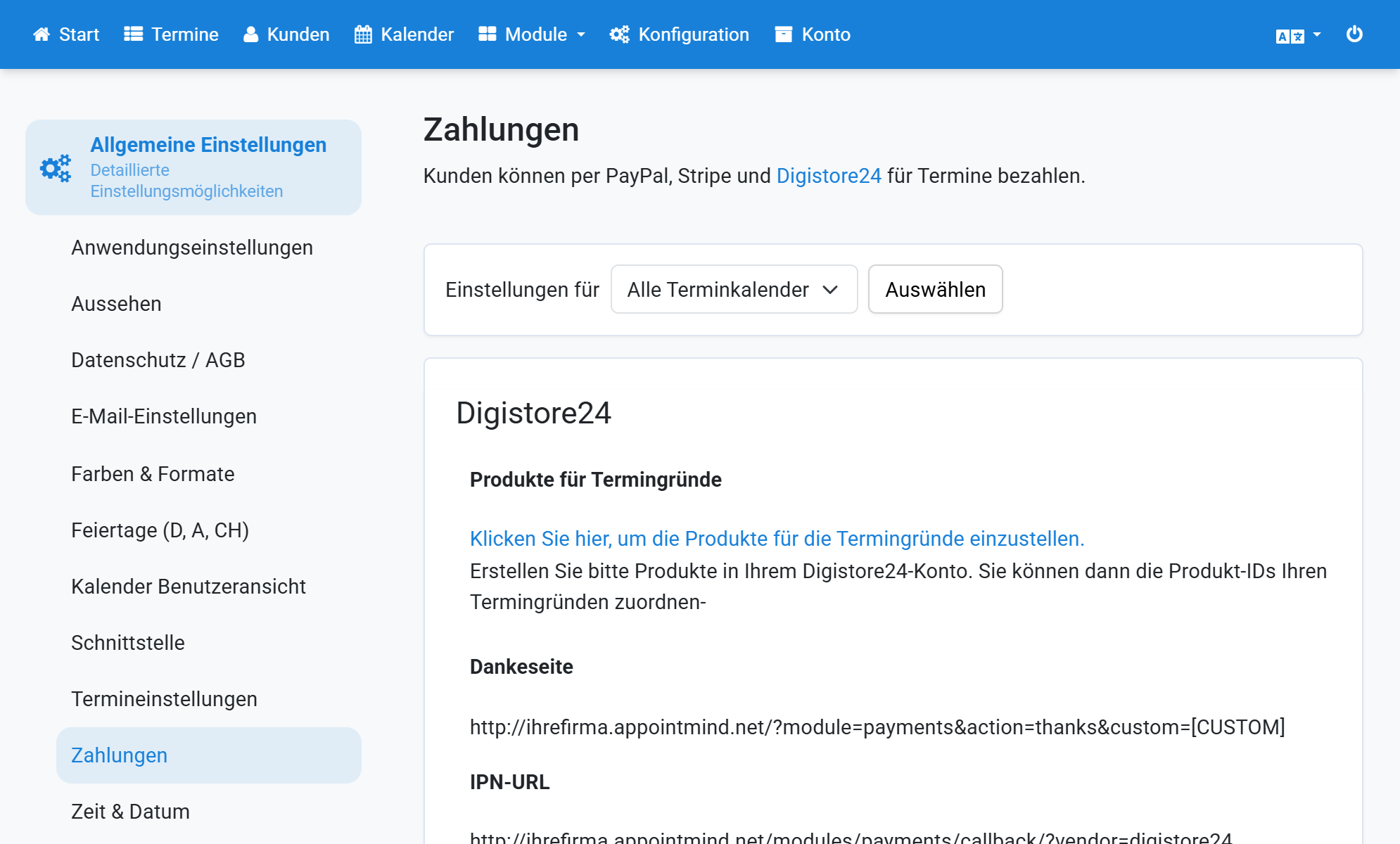
Activez PayPal dans Options de paiement
6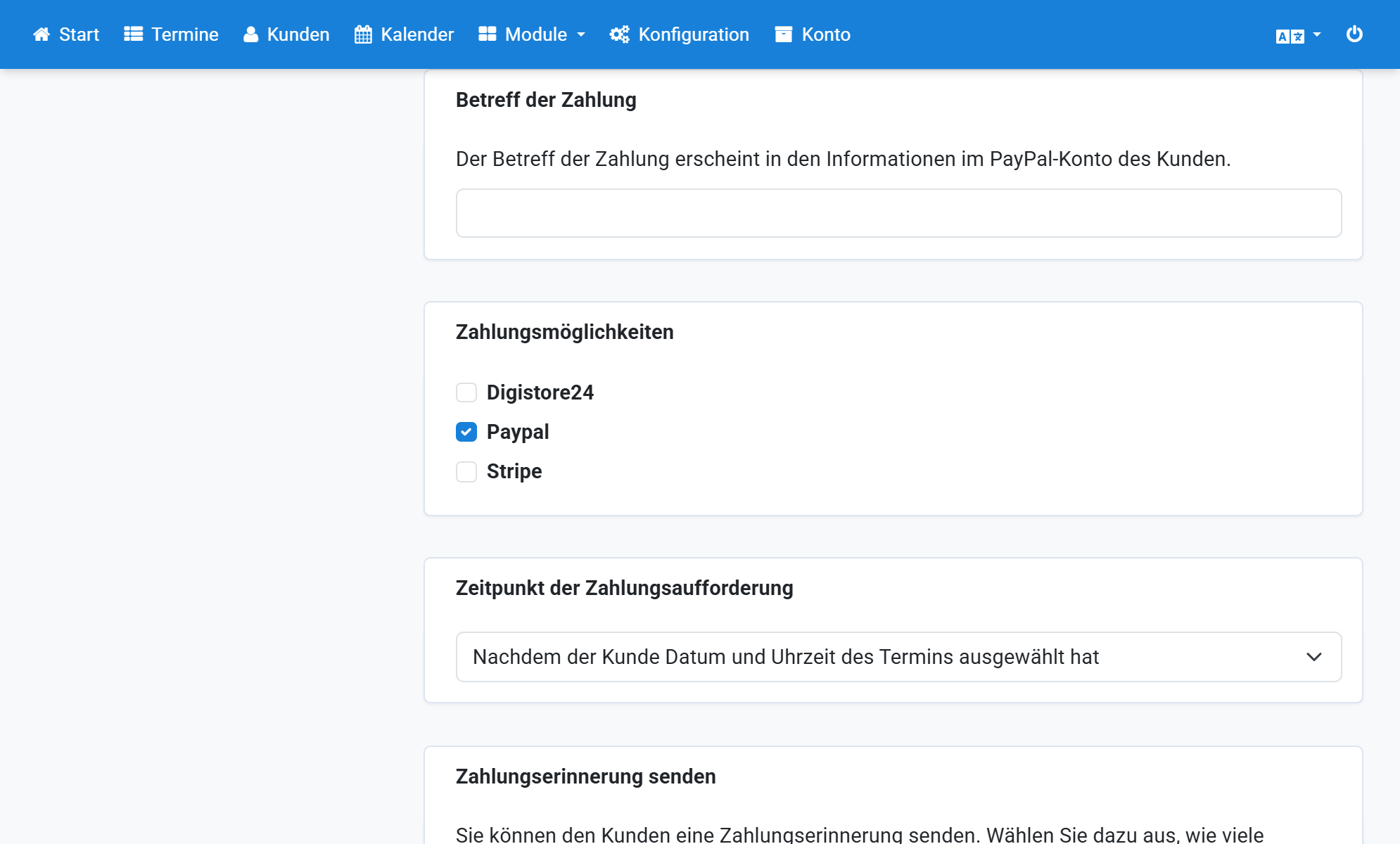
Saisissez votre adresse e-mail PayPal
7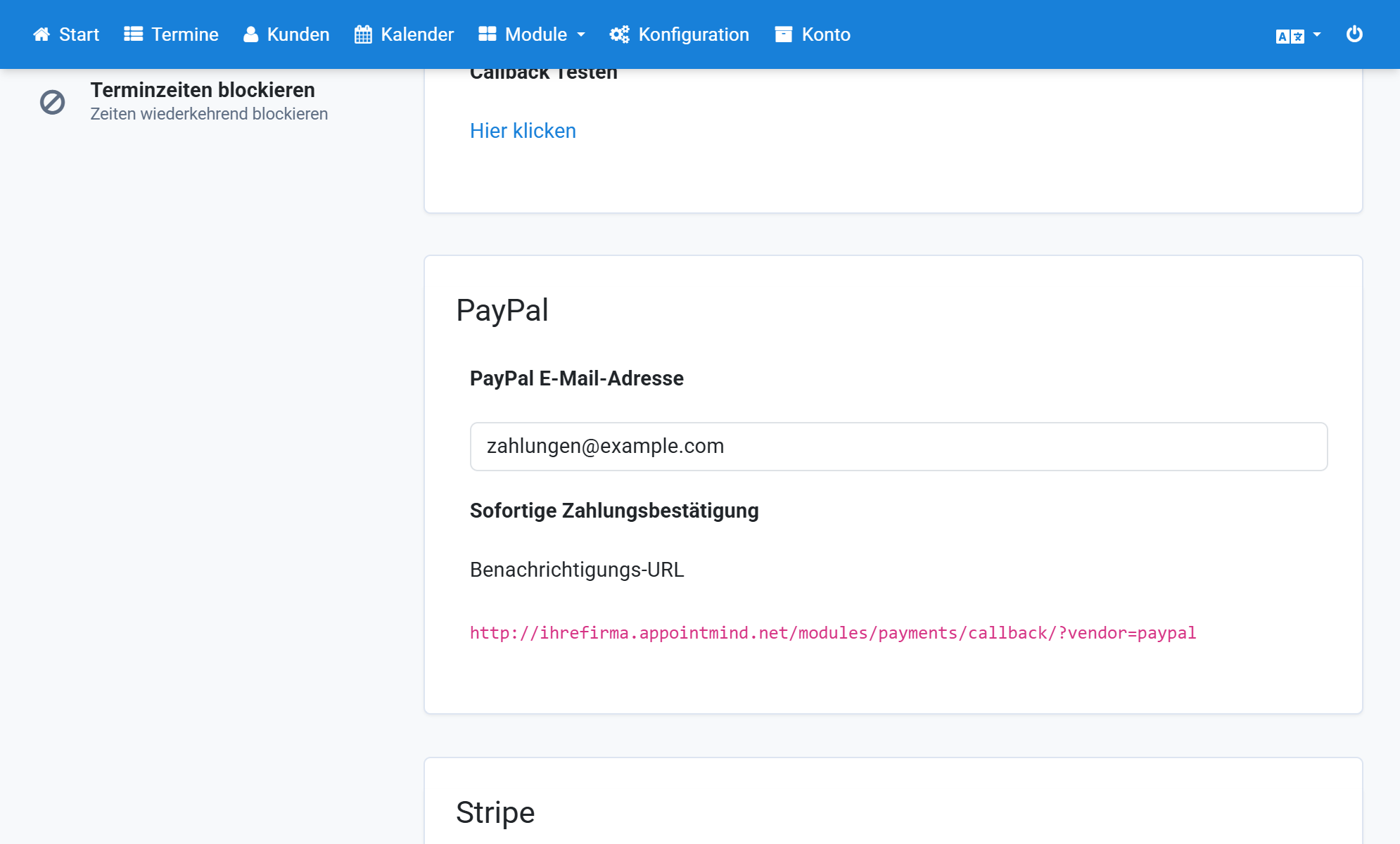
Copiez l'URL de notification
8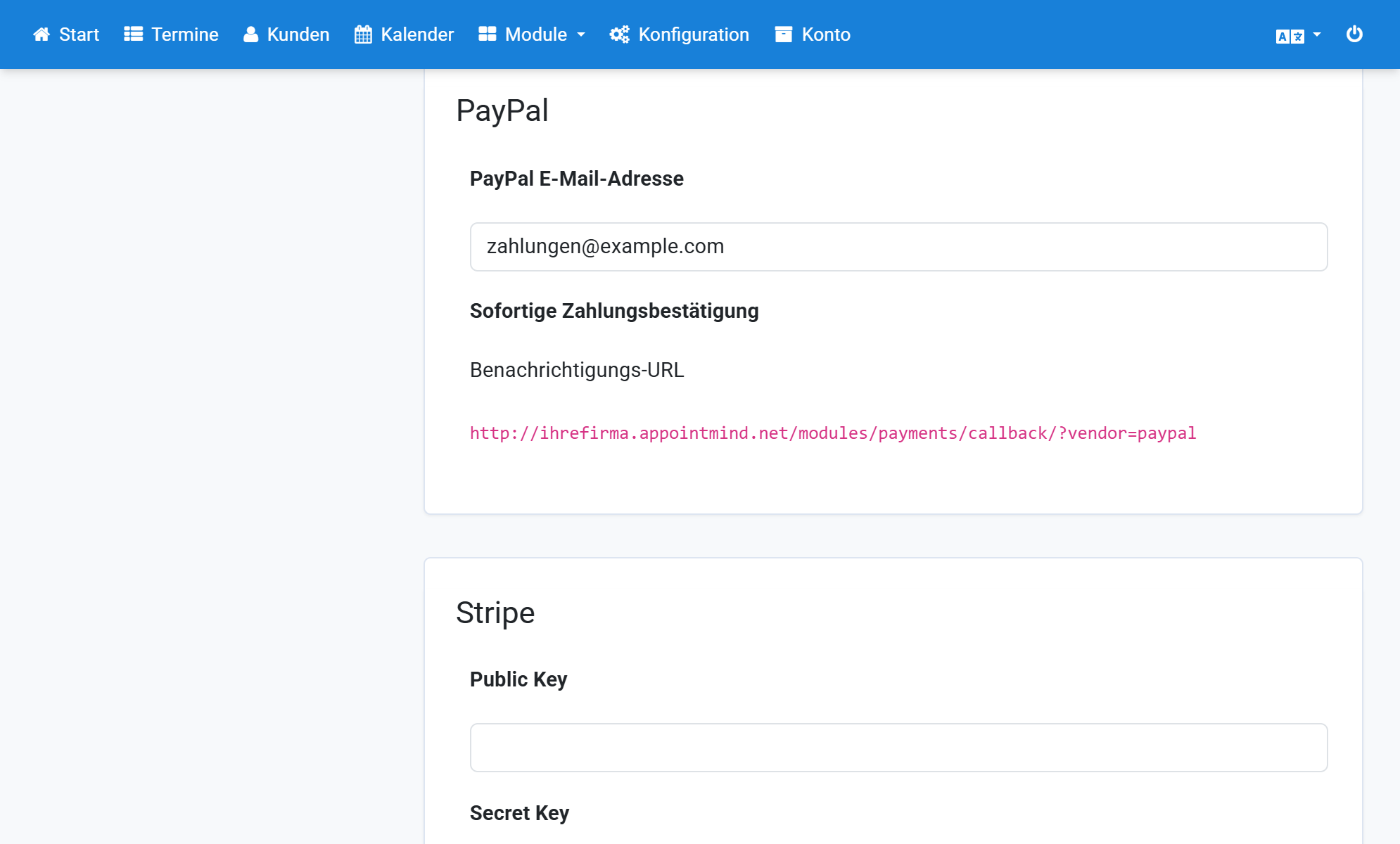
Collez l'URL de notification dans PayPal
9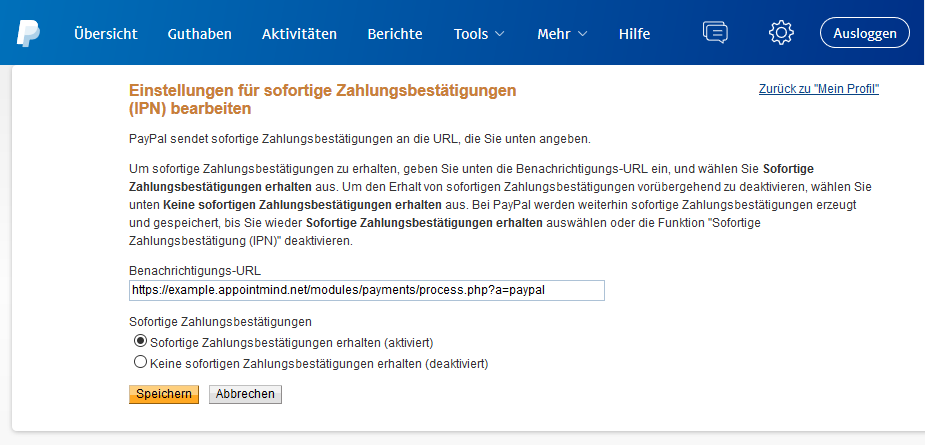
Activez Recevoir la notification instantanée de paiement
10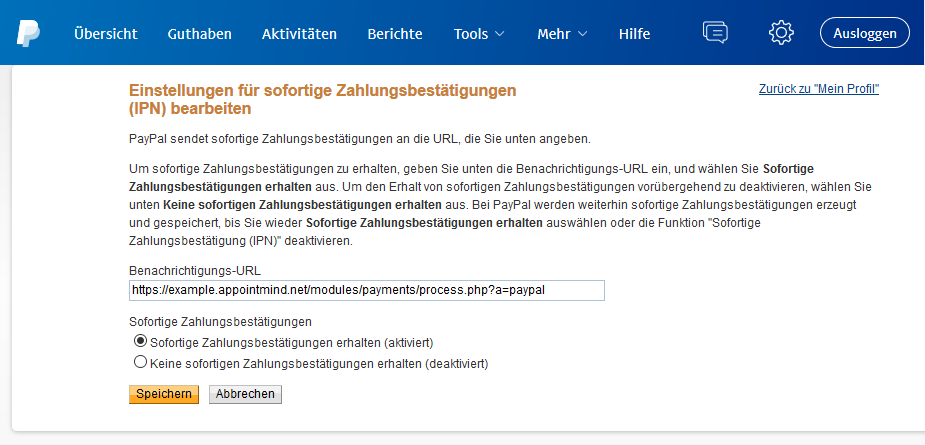
Enregistrez dans PayPal
11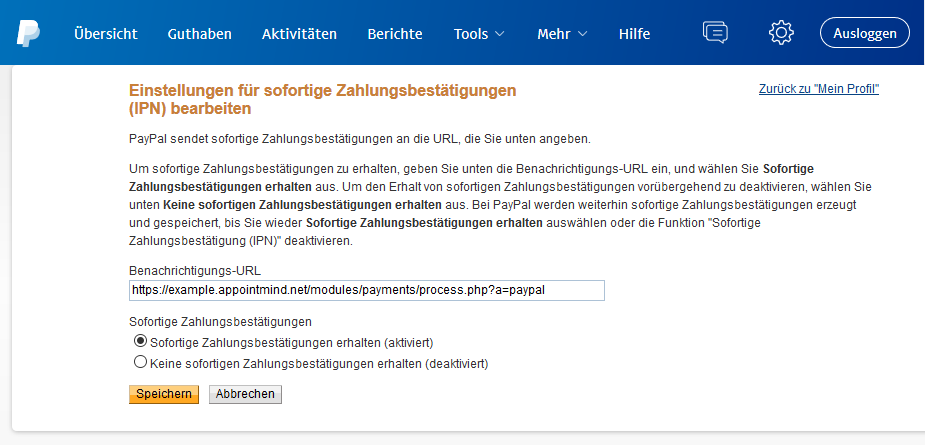
Enregistrez dans Appointmind
12